Order                                   Download                                    Support                                      Contact                                     Related Products      

Blank
Block
Control
Monitor
Broadcast

....all student PCs

Returning Control to the teacher with a network console that easily manages all student PCs.

Now supporting both Macintosh & Windows PCs


Ncomputing, Citrix, WinTS, Novell, Laptop (One2One) sites


Faronics Insight is the ultimate classroom technology management system that empowers teachers with the ability to share their screen with students, control student access to applications and websites, and monitor classroom screens to ensure students are on task. Students are able to interact with the teacher directly through Insight's chat, voting, and remote-assistance capabilities. 


Take Control Of Classroom Technology


Computers in schools have the power to enhance the classroom experience for both students and teachers. But the benefits can easily be lost to distractive elements such as games, instant messaging, and web surfing.

Designed with the needs of teachers in mind, Faronics Insight is the ultimate classroom management system that empowers teachers with full control over classroom technology and student progress. Faronics Insight enables teachers to harness the educational and productive aspects of computers, whilst minimising distractive behavior and temptations.

Teachers love the fact that they can share their screen with students, provide remote assistance to students from a central console, and monitor classroom screens to ensure students are on task. Students appreciate the ability to request and receive help directly in their workstation session, and have their voice heard through classroom voting. With the ability to disable applications, Internet access, and blank student screens, teachers can quickly gain student attention when required.

Best suited for classroom environments, Faronics Insight is changing the way technology is viewed in the classroom for both students and teachers alike.


Faronics Insight Benefits

  • Empowers teachers with control over classroom technology and student attention
  • Fosters cooperative classrooms where learning is achieved through interaction and collaboration
  • Strengthens teaching effectiveness with the ability to monitor student progress
  • Ensures students are kept on task and engaged in an environment where technology accelerates their learning experience
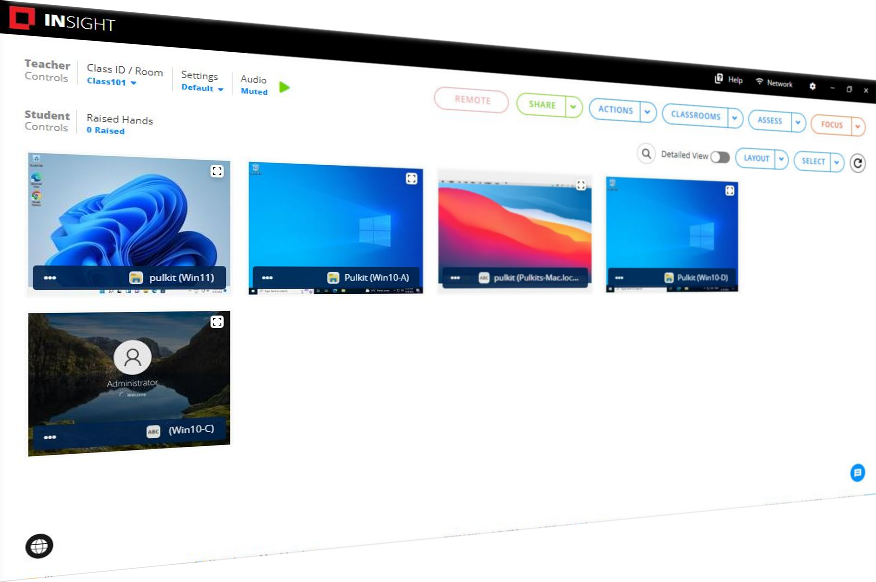
Insight Console
Easily access the console through the system tray menu (on Windows) or the Dock (Mac OS X)
Manage students in a list view or by thumbnails
Access features through a customizable menu, icons, or via right click
Name student computers based on Windows, Novell, or Active Directory accounts
Move between computer labs while keeping student lists organized
Monitor and compare student attendance
Broadcast audio from teacher console and manage audio settings
Support for Apple Ipod, iPhone, and iPad
Transmit a video file simultaneously to all student clients and control video playbacks for all students at the same time
Thin Client Support (Windows 2003 Terminal Server and NComputing)
Fat Client Support (Windows 2003 Terminal Server and NComputing)
Teachers Can Share With Students
Show the teacher screen on student monitors
Full Screen mode makes the teacher’s screen take over the entire student screen and lock-out the student’s mouse and keyboard
Windowed mode makes the teacher’s screen appear in a resizeable window on the student’s machine
Draw on the screen to highlight important details
Co-browsing websites lets students follow along
Students Can Share With Other Students
Allow a student to share their screen with the rest of the class
The student is in control until the teacher stops the broadcast
Control Student Workstations
Help a student by taking control of their computer
Optionally disable the student’s keyboard and mouse during a remote control session
Grab student attention by blanking screens (with optional custom message), locking out keyboards and mice, or muting the sound
"Clear Desktop" functionality to quit open student programs
Communicate With Students
Send a text message to all or selected students
Students can ask a question directly through Insight
Teachers can initiate a text-based chat session with a student
Transfer files to and from student computers or their network drive
Randomly select a student and notify them via the console
Power Features
Easily shutdown, logoff, or restart student computers
Power on computers remotely using Wake-on-LAN technology
Thumbnail Monitoring
View up to 3,000+ hi-color thumbnails at the same time
Active applications and last visited website appear as thumbnail icons
Thumbnails can be arranged to match the shape of the classroom
Web Limiting & Classroom Monitoring
Block all Internet activity including browsers, e-mail, instant messaging
Allow (Whitelist) / Disallow (Blacklist) access to selected websites
Save and load web limiting websites for different classes
Display a launch page that lists allowed/disallowed websites
View a student’s Internet browsing history
Monitor workstation keystrokes in real-time (except at the login prompt)
Receive keystroke alerts for banned words
Extend visibility and montior student actions easily with dual montiors for both teachers and students
Restrict Private Browsing for Internet Explorer 8
Application & Device Connectivity Control
Allow only the applications that the students need
Block certain applications from running
Save and load application limiting lists for different classes
Limit student access to printers and USB thumb drives
restrict USB and CD-ROM drive access
Testing & Voting
Ask the students Yes/No and multiple choice questions
Distribute tests to students that can be completed electronically
Test questions can be displayed in a random order on student machines to prevent cheating
Improve testing with new essay-type answers
Security & Anti-Tampering Controls
All activity within Insight is logged to a status window
Password protection prevents rogue console use
Insight does not allow a student to mischievously “unload” the software or disrupt class by unplugging the network cable
Active Directory Secure Mode allows only members within a specified Active Directory group to view or control workstation to prevent unauthorized use of the Insight console
View & Snapshot Running Applications
Teachers can view all running applications on a student’s computer and add those applications to the allowed or blocked application lists
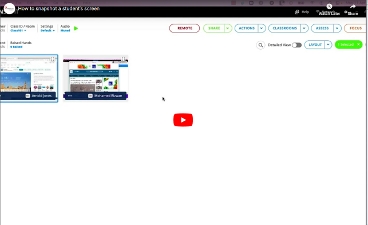
Take a snapshot of the student’s current computer screen
One to One
Teachers can shift from class to class while applying changes to student lists, channels, and class profiles in real-time
* Available on the Windows teacher console with either Windows or Mac OS X students. These control features are not presently available on the Mac teacher console.
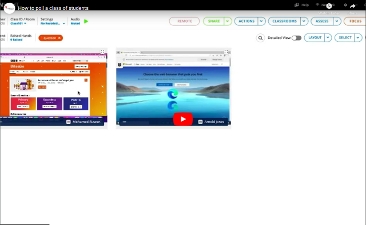
For a detailed look at Insight, please view the screenshots below:


.